Integration guide
GA4 reporting without the GA4 interface
Sign in with Google once, choose each client's GA4 property, and ReportingBee turns sessions, channels and conversions into widgets your clients actually read.
From £9.99/month · Agency £49/month
What you can report on
- Sessions & users
- Traffic volume for the property over the report period — the baseline number most client reports open with.
- Channel performance
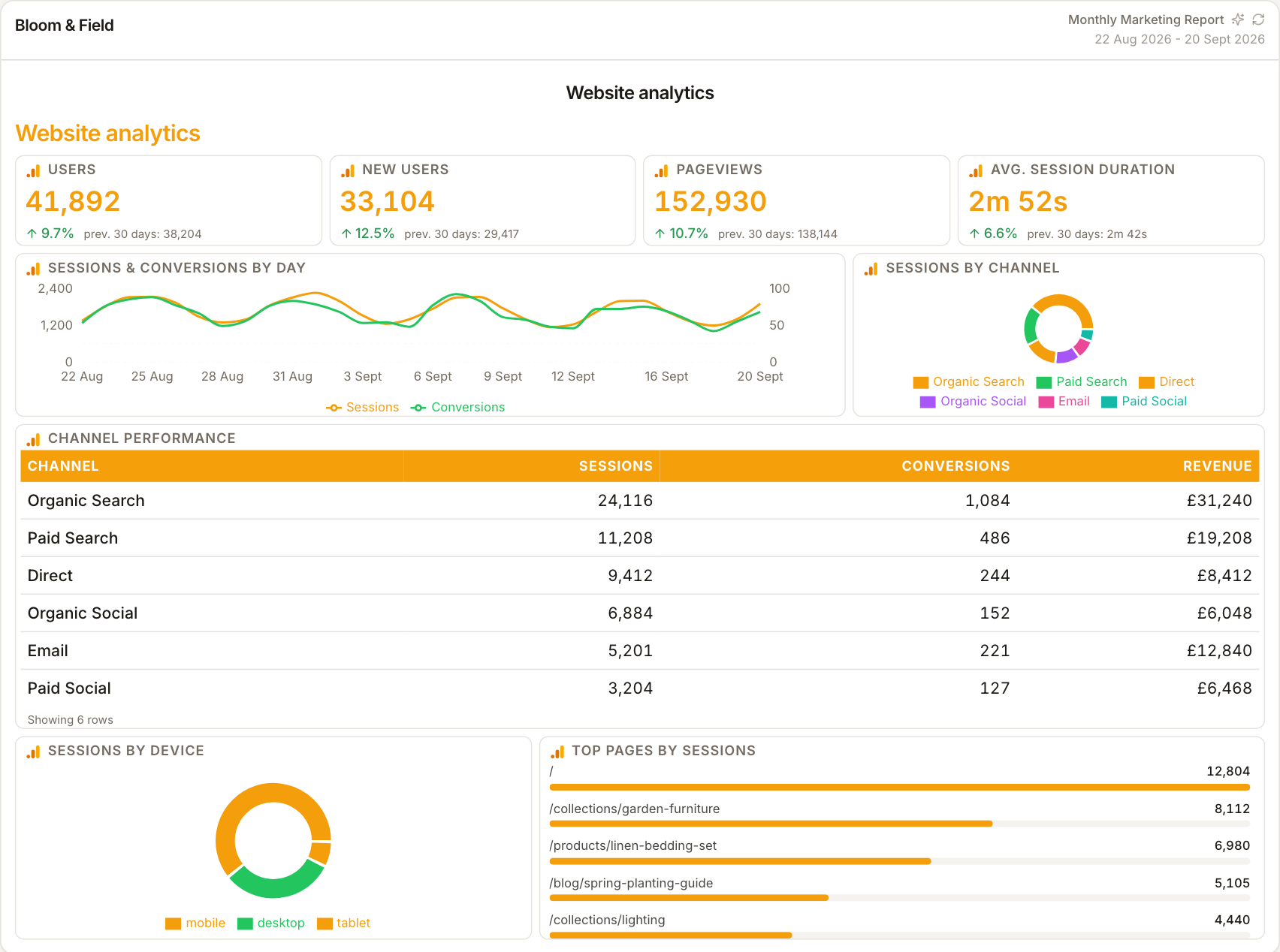
- Sessions and conversions grouped by channel, so organic, paid, social and referral contributions stay separated instead of blurred into one traffic number.
- Conversions
- The key events the property has configured. What appears here depends entirely on how the client's GA4 events are set up — ReportingBee reports what's marked as a conversion.
OAuth connection, property per client
Google Analytics connects through Google OAuth: you sign in, ReportingBee lists the GA4 properties your account can access, and you assign the right one to each client. Tokens refresh automatically, so the connection stays alive without re-authenticating every month.
Behaviour metrics clients understand
GA4's own interface buries the story clients care about. In ReportingBee you compose the same underlying data into a clear layout — traffic trend first, channel split second, conversions and top landing pages underneath — with your commentary beside each block.
Conversion data is only as good as the setup
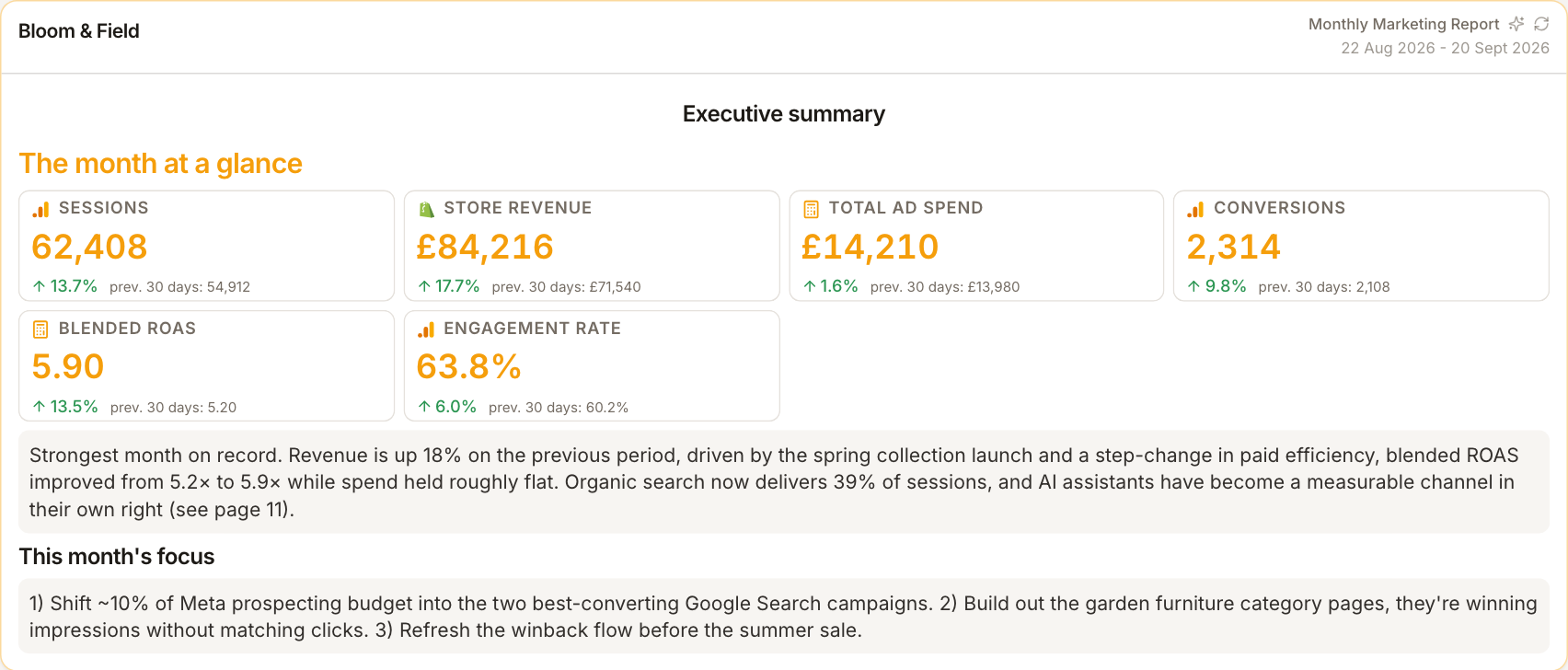
ReportingBee reports GA4 faithfully, but it can't fix tracking. If a client hasn't marked the right events as conversions, or the property has no events at all, the report will show that faithfully rather than fill gaps — a useful prompt to sort measurement before the next review.
How it works
01
Sign in with Google
Start the Google OAuth flow from the client's Integrations tab and grant ReportingBee read access to Analytics.
02
Choose the property
Select the GA4 property for this client from the list ReportingBee shows — one property per client keeps data clean.
03
Build the analytics section
Add sessions, channel and conversion widgets to the report and write the commentary that explains what changed.
Simple, capped pricing
£9.99/month starter
First client included, then £3.99/month per extra client, capped at ten slots (£45.90/month).
£49/month agency
Flat monthly price with unlimited clients.
Frequently asked questions
Does ReportingBee support Universal Analytics?
No — the integration reports GA4 properties only, since Universal Analytics stopped collecting data.
Why do conversions differ from what my client expects?
ReportingBee shows the key events configured in the GA4 property. If expected conversions are missing, the events usually aren't marked as conversions in GA4 itself.
How much does ReportingBee cost?
Starter is £9.99/month for your first client and £3.99/month for each extra client, capped at ten client slots (£45.90/month). The Agency plan is £49/month flat with unlimited clients.
Keep exploring
Google Analytics Reporting
GA4's channel and landing-page data recomposed into a clear monthly report — the analytics story without the GA4 interface.
Analytics Reporting
Traffic, engagement and conversions from GA4 composed into a readable report — your clients get the story, you keep the analysis.
Google Search Console Integration
OAuth once, select the verified property, and turn clicks, impressions, CTR and position into clean report widgets with your SEO commentary attached.
Browse all reporting guides
Reporting
- Client Reporting Software
- Agency Reporting Software
- Marketing Reporting Software
- Digital Marketing Reporting
- SEO Reporting Software
- SEO Reporting for Agencies
- PPC Reporting Software
- White Label Reporting Software
- Automated Reporting
- Automated Client Reporting
- Ecommerce Reporting
- Analytics Reporting
- KPI Reporting
- Social Media Reporting
- Social Media Reporting Software
- Ahrefs Reporting
- Google Analytics Reporting
- Google Search Console Reporting
- Google Ads Reporting
- Facebook Ads Reporting
- Instagram Reporting
- LinkedIn Reporting
- Mailchimp Reporting
- Facebook Ads Reporting Tool
- Google Ads Reporting Tool
- SEO Client Reporting
- Marketing Agency Reporting
- Digital Agency Reporting
Dashboards
Your first branded report is minutes away
Add a client, connect their data and share a live report today.