Integration guide
Site speed figures inside the client report
PageSpeed connects through the Google OAuth group; report metrics are entered via manual widgets today — score and vitals for the client's key pages, in the same branded layout as everything else.
From £9.99/month · Agency £49/month
What you can report on
- Performance score
- The 0-100 Lighthouse score for the client's key page — the headline number most clients recognise.
- Core Web Vitals
- LCP, CLS and INP — the Google-defined measures of loading, stability and responsiveness that feed page-experience assessments.
- Score over time
- Record the score each period so the report shows whether performance work is actually moving the number.
Manual metrics today
The Google OAuth group covers PageSpeed's connection, but live widgets aren't built for it yet. Run the client's key URL through PageSpeed Insights and enter the scores into the report's manual metric widgets — takes minutes per client per month.
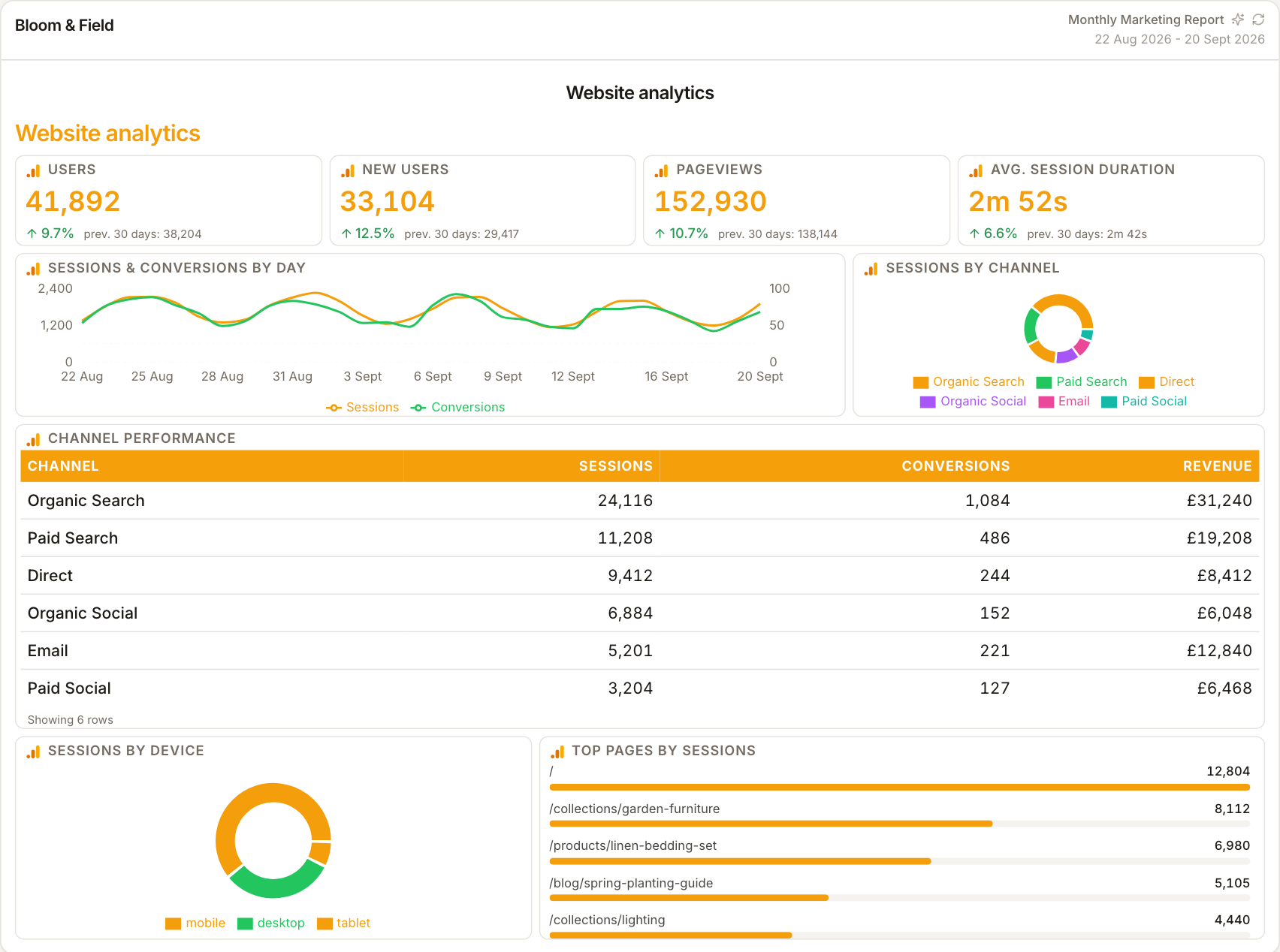
Speed framed with outcomes
A Lighthouse score means more next to the metrics it affects. Put performance figures beside bounce rate, conversions and organic clicks so the report connects 'the site got faster' to 'the numbers moved' — the link clients actually care about.
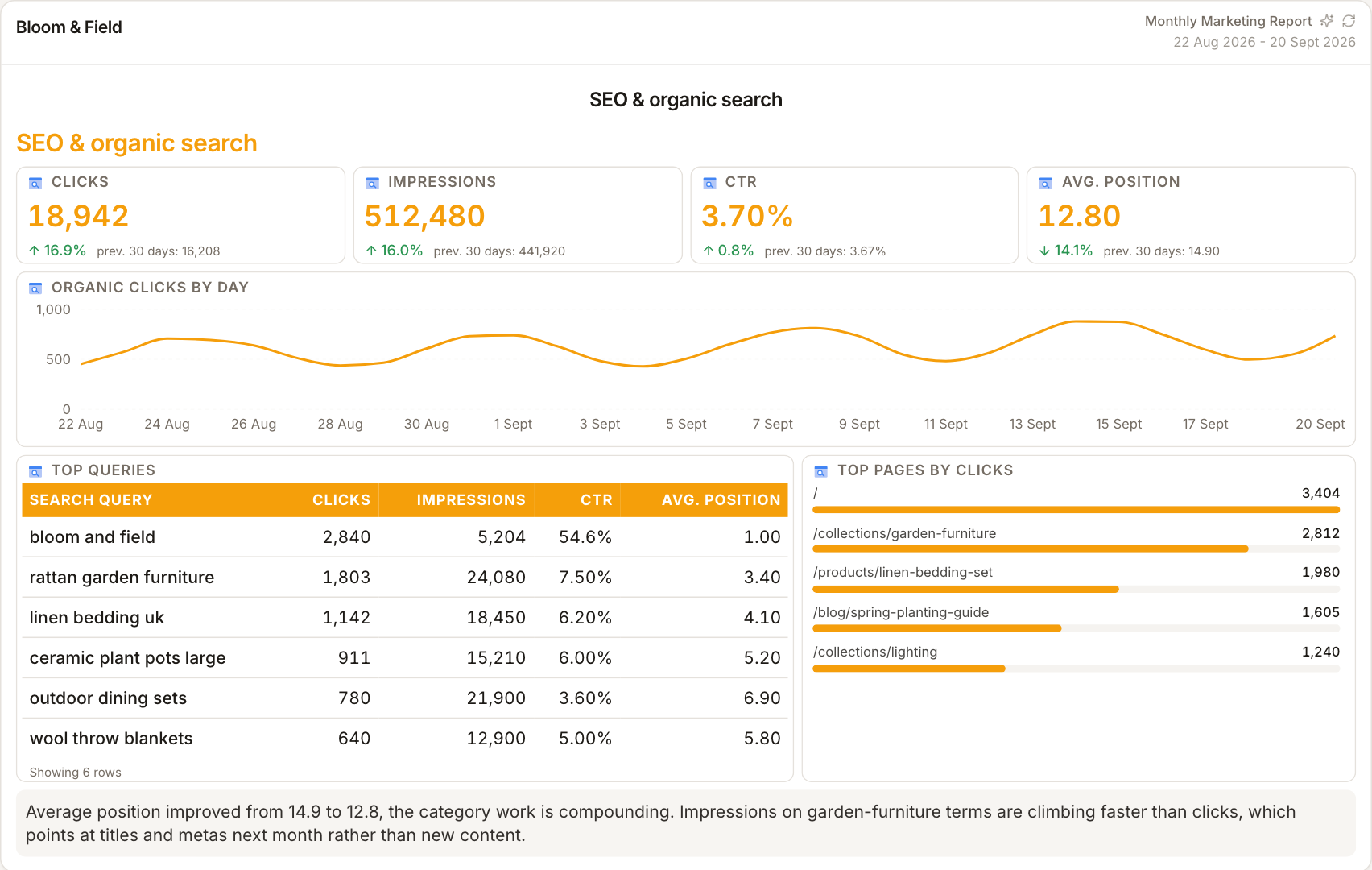
Report the pages that matter
Rather than one homepage score, report the client's money pages — the landing pages ads point at, the top organic pages. A per-page row of scores reads better than a single site-wide figure and shows where work is still needed.
How it works
01
Run PageSpeed Insights
Test the client's key URLs at pagespeed.web.dev and note the performance score and vitals for each.
02
Enter into widgets
Type the scores into the report's manual metric widgets, one per page or an average across key pages.
03
Explain the movement
Use the commentary block to connect score changes to the work shipped that month.
Simple, capped pricing
£9.99/month starter
First client included, then £3.99/month per extra client, capped at ten slots (£45.90/month).
£49/month agency
Flat monthly price with unlimited clients.
Frequently asked questions
Does ReportingBee run PageSpeed tests automatically?
Not today — you run the client's URLs through PageSpeed Insights and enter the scores into manual widgets. The Google OAuth connection exists, but live PageSpeed widgets aren't built yet.
Which pages should I report?
The client's highest-traffic and highest-value pages — paid landing pages and top organic URLs — rather than only the homepage.
How much does ReportingBee cost?
Starter is £9.99/month for your first client and £3.99/month for each extra client, capped at ten client slots (£45.90/month). The Agency plan is £49/month flat with unlimited clients.
Keep exploring
SEO Reporting Dashboard
The SEO dashboard arranged in review order — visibility first, outcomes second, authority last — ready to screen-share without rearranging.
SEO Reporting Software
Query visibility from Search Console, organic visits from GA4, authority from Ahrefs — the three signals SEO clients need, in one branded report.
Google Analytics 4 Integration
Sign in with Google once, choose each client's GA4 property, and ReportingBee turns sessions, channels and conversions into widgets your clients actually read.
Browse all reporting guides
Reporting
- Client Reporting Software
- Agency Reporting Software
- Marketing Reporting Software
- Digital Marketing Reporting
- SEO Reporting Software
- SEO Reporting for Agencies
- PPC Reporting Software
- White Label Reporting Software
- Automated Reporting
- Automated Client Reporting
- Ecommerce Reporting
- Analytics Reporting
- KPI Reporting
- Social Media Reporting
- Social Media Reporting Software
- Ahrefs Reporting
- Google Analytics Reporting
- Google Search Console Reporting
- Google Ads Reporting
- Facebook Ads Reporting
- Instagram Reporting
- LinkedIn Reporting
- Mailchimp Reporting
- Facebook Ads Reporting Tool
- Google Ads Reporting Tool
- SEO Client Reporting
- Marketing Agency Reporting
- Digital Agency Reporting
Dashboards
Integration guides
- Ahrefs Integration
- Google Analytics 4 Integration
- Google Search Console Integration
- Google Ads Integration
- Meta Ads Integration (Facebook & Instagram)
- Instagram Integration
- LinkedIn Integration
- Mailchimp Integration
- Microsoft Advertising Integration
- HubSpot Integration
- Klaviyo Integration
- Shopify Integration
- SEMrush Integration
- SE Ranking Integration
- Google Business Profile Integration
- Google Sheets Integration
- Google PageSpeed Integration
- Facebook Integration
- TikTok Integration
- TikTok Ads Integration
- YouTube Integration
- LinkedIn Ads Integration
- Pinterest Integration
- Pinterest Ads Integration
- Snapchat Ads Integration
- Amazon Ads Integration
- X Ads Integration (Twitter)
- Moz Integration
- CallRail Integration
- WooCommerce Integration
- ActiveCampaign Integration
- Constant Contact Integration
- Trustpilot Integration
Your first branded report is minutes away
Add a client, connect their data and share a live report today.