Integration guide
Microsoft Ads reporting alongside the rest of the spend
Sign in with Microsoft once, choose each client's ad account, and ReportingBee pulls live spend, click and conversion data into the same branded report as every other channel.
From £9.99/month · Agency £49/month
What you can report on
- Spend
- What the account paid Microsoft over the report period — the baseline every paid report reconciles against the invoice.
- Clicks & conversions
- Traffic bought and the conversion actions it produced, broken out by campaign where the account exposes them.
- ROAS & revenue
- Return on ad spend and conversion revenue as the account records them — the efficiency read clients compare against Google Ads.
Live data through Microsoft OAuth
Microsoft Advertising connects through OAuth: sign in once, and ReportingBee lists the ad accounts your login can access so you can assign the right one per client. Access tokens refresh automatically in the background — once connected, the numbers pull on every report refresh without re-authenticating.
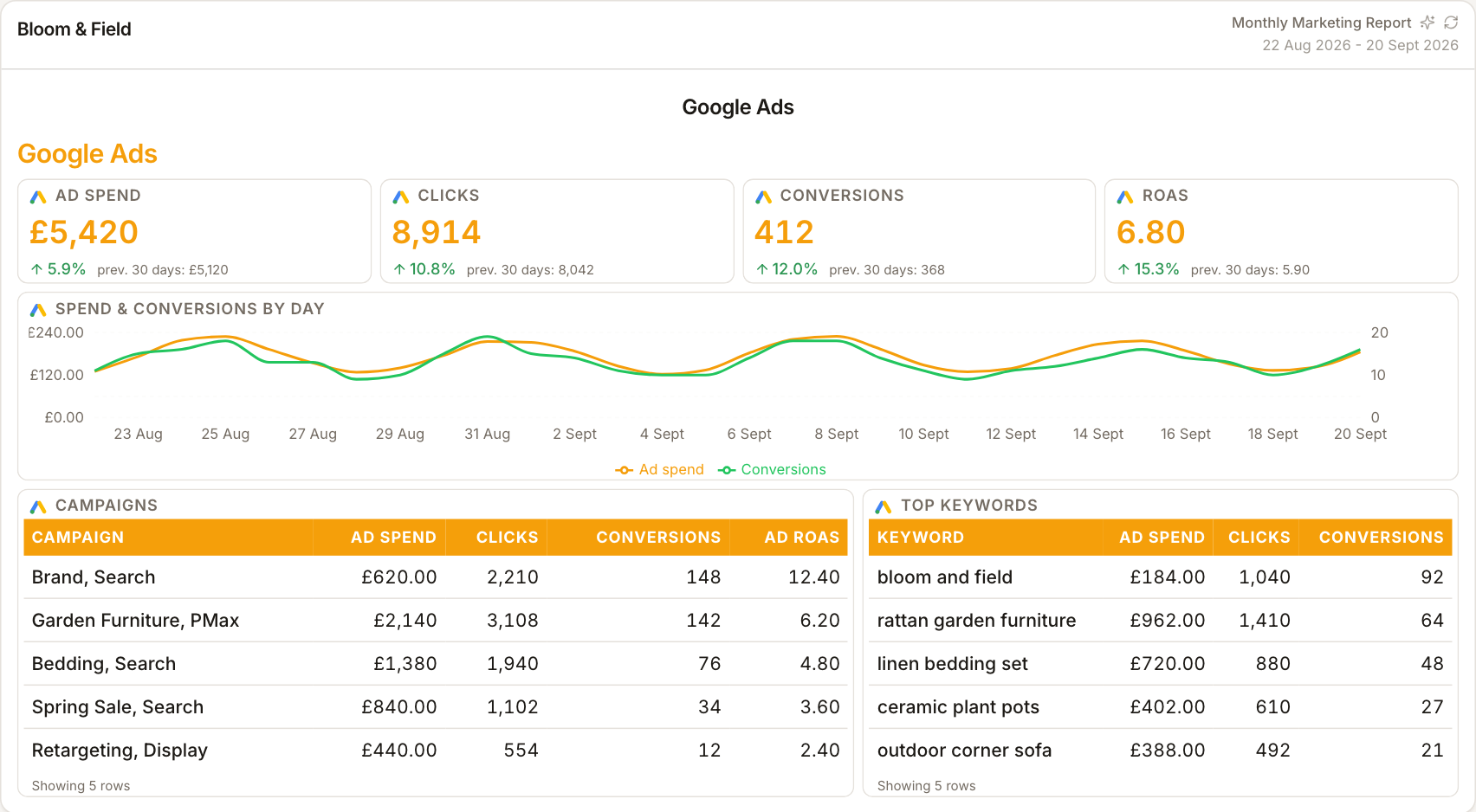
Bing spend next to Google spend
Most agencies running Microsoft Ads also run Google Ads. ReportingBee puts both in one PPC section so the client sees total paid search spend and each platform's contribution — spend, clicks, conversions and ROAS side by side rather than in two screenshots from two consoles.
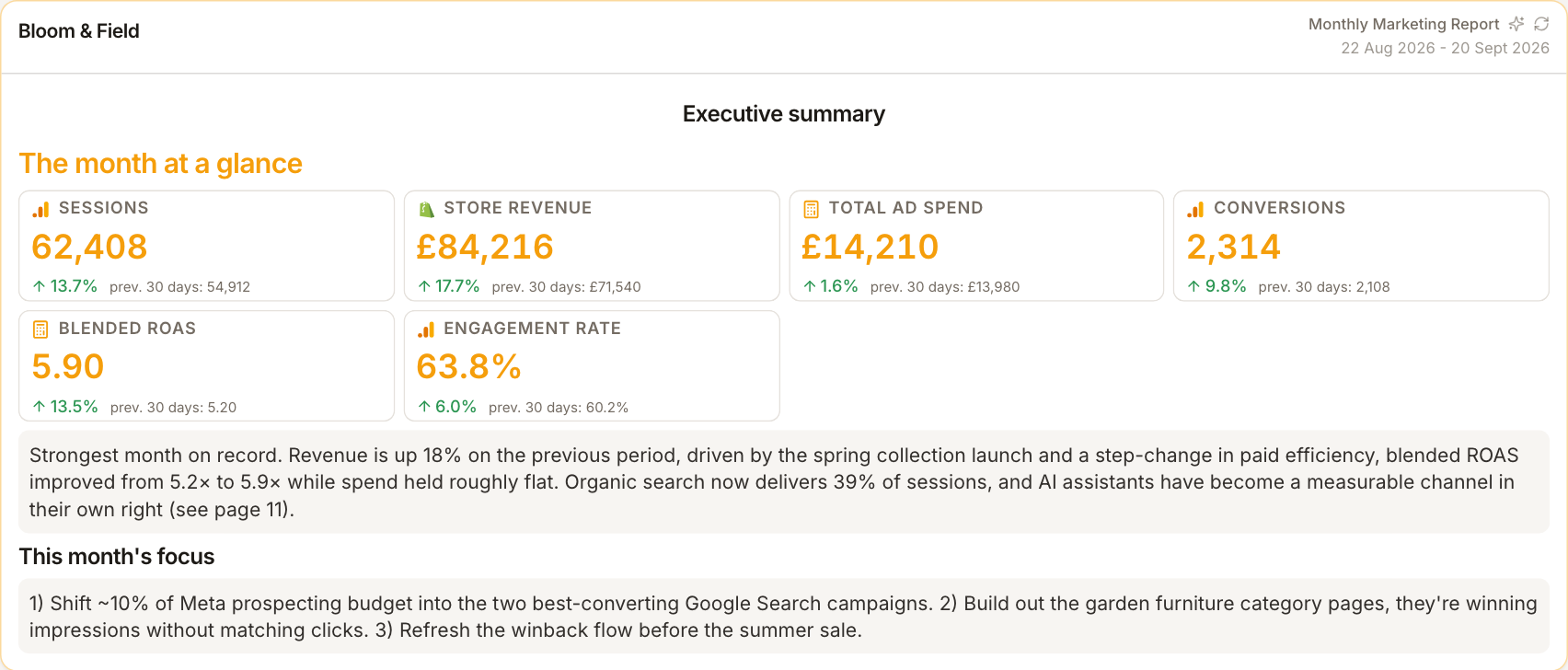
Campaign-level breakdowns
Beyond headline stats, Microsoft Ads widgets break results out by campaign and over time, so the report can show which campaigns carried the month and how performance trended across the period — not just a single month-end number.
How it works
01
Sign in with Microsoft
Start Microsoft OAuth from the client's Integrations tab using the login that can access their ad accounts.
02
Choose the ad account
Pick the client's advertising account from the list ReportingBee shows — one account per client keeps the data clean.
03
Build the PPC section
Add spend, click and conversion widgets plus campaign tables, next to the Google Ads numbers for a full paid-search picture.
Simple, capped pricing
£9.99/month starter
First client included, then £3.99/month per extra client, capped at ten slots (£45.90/month).
£49/month agency
Flat monthly price with unlimited clients.
Frequently asked questions
Does ReportingBee pull Microsoft Ads data live?
Yes — campaign spend, clicks, conversions, revenue and ROAS pull from the Microsoft Advertising API on each report refresh, with tokens refreshing automatically.
Can I report at campaign level?
Yes — campaign breakdowns and time-series charts are available alongside the headline stat widgets.
How much does ReportingBee cost?
Starter is £9.99/month for your first client and £3.99/month for each extra client, capped at ten client slots (£45.90/month). The Agency plan is £49/month flat with unlimited clients.
Keep exploring
PPC Reporting Software
Google Ads and Meta spend, conversions, cost per acquisition and return on ad spend — presented so clients see what the budget bought.
PPC Reporting Dashboard
Spend pacing and efficiency across Google Ads and Meta on one screen — the between-meetings monitor — a reporting view, not a live bid console.
Google Ads Integration
Link the Google account that manages the client's ads, choose the right ad account, and build spend-and-conversion reports without screenshots or spreadsheets.
Browse all reporting guides
Reporting
- Client Reporting Software
- Agency Reporting Software
- Marketing Reporting Software
- Digital Marketing Reporting
- SEO Reporting Software
- SEO Reporting for Agencies
- PPC Reporting Software
- White Label Reporting Software
- Automated Reporting
- Automated Client Reporting
- Ecommerce Reporting
- Analytics Reporting
- KPI Reporting
- Social Media Reporting
- Social Media Reporting Software
- Ahrefs Reporting
- Google Analytics Reporting
- Google Search Console Reporting
- Google Ads Reporting
- Facebook Ads Reporting
- Instagram Reporting
- LinkedIn Reporting
- Mailchimp Reporting
- Facebook Ads Reporting Tool
- Google Ads Reporting Tool
- SEO Client Reporting
- Marketing Agency Reporting
- Digital Agency Reporting
Dashboards
Integration guides
- Ahrefs Integration
- Google Analytics 4 Integration
- Google Search Console Integration
- Google Ads Integration
- Meta Ads Integration (Facebook & Instagram)
- Instagram Integration
- LinkedIn Integration
- Mailchimp Integration
- Microsoft Advertising Integration
- HubSpot Integration
- Klaviyo Integration
- Shopify Integration
- SEMrush Integration
- SE Ranking Integration
- Google Business Profile Integration
- Google Sheets Integration
- Google PageSpeed Integration
- Facebook Integration
- TikTok Integration
- TikTok Ads Integration
- YouTube Integration
- LinkedIn Ads Integration
- Pinterest Integration
- Pinterest Ads Integration
- Snapchat Ads Integration
- Amazon Ads Integration
- X Ads Integration (Twitter)
- Moz Integration
- CallRail Integration
- WooCommerce Integration
- ActiveCampaign Integration
- Constant Contact Integration
- Trustpilot Integration
Your first branded report is minutes away
Add a client, connect their data and share a live report today.